
The modern job search feels like a marathon where the finish line keeps moving. You spend countless hours polishing your resume, searching job boards, and tailoring cover letters, only to face the most soul-crushing part of the process: filling out endless online application forms. Each one asks for the same information, turning your hopeful search into a repetitive, time-consuming chore. What if you could get that time back? What if you could apply for more jobs, more efficiently, without the burnout?
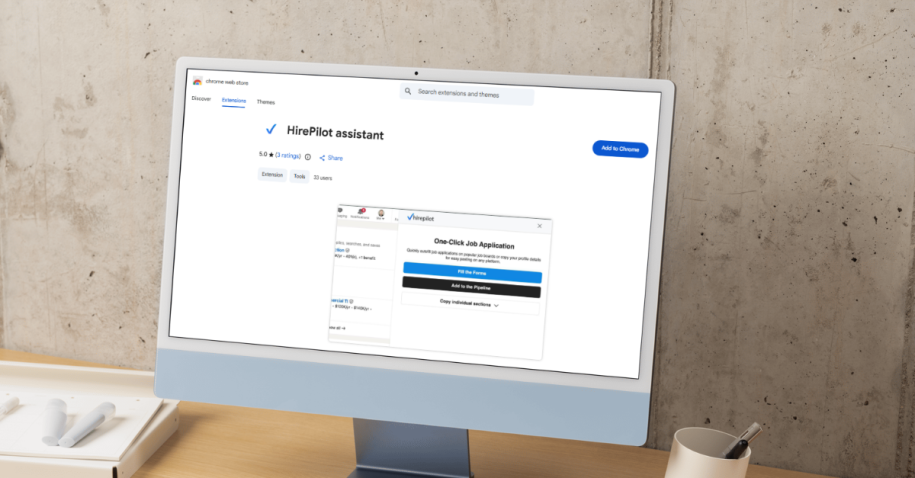
This is where the HirePilot extension comes in. It’s a browser tool designed to automate the most tedious part of your job hunt: the application itself. With its one-click auto-fill feature, what used to take twenty minutes now takes seconds. If you’ve ever felt overwhelmed by the process of submitting endless applications, you might benefit from reading these career tips from recruiter Robynn Storey that highlight smart automation as a game-changer. But with any new technology, especially one that handles your personal data, it’s natural to have questions. Is it safe? Will it make my applications look generic? Will recruiters know I’m using a tool? For even more perspective on how HirePilot shapes the journey, check out this founder Q&A with real user feedback, or discover how to organize your applications with the ultimate job application tracker. Want practical strategies to land more interviews? Consider reviewing this guide on getting more interviews. And if you’re curious how AI can help you connect with hiring managers, explore the practical step-by-step networking guide from the HirePilot blog.
This guide will walk you through everything you need to know about the HirePilot extension. We’ll explore how it works, address the common fears and skepticism surrounding automation tools, and show you how it can become your most powerful ally in landing your next role. Get ready to transform your job search from a game of endurance into a strategic, efficient, and successful campaign.
Why your job search is taking so long (and how to fix it)
If you feel like your job search is dragging on, you’re not alone. The average job search can take several months, with professionals submitting dozens, or even hundreds, of applications. One of the biggest bottlenecks in this process is the sheer amount of time spent on repetitive data entry. Each application form demands your name, address, phone number, work history, education, and references. It’s a frustrating cycle that drains your energy and slows your momentum.
This is more than just an annoyance; it’s a strategic disadvantage. The time you waste copy-pasting your details is time you could be spending on high-impact activities, such as networking, preparing for interviews, or researching target companies. Job search burnout is a real phenomenon, and it often stems from the overwhelming volume of administrative tasks. When you’re mentally exhausted from filling out forms, your ability to perform well in interviews and present your best self suffers.
The solution isn’t to apply for fewer jobs. It’s to make the application process smarter and faster. The HirePilot extension tackles this problem head-on. By securely storing your information and automatically filling out application fields, it gives you back your most valuable resource: time. This allows you to increase your application volume without sacrificing quality or your sanity. You can focus your energy where it truly matters, turning a tedious process into a streamlined and effective part of your job search strategy. For practical advice on enhancing your application outcomes, consider exploring how to master your job search with a tracker or discover which AI tools actually get you hired faster.
What is the HirePilot extension and how does it work?
The HirePilot extension is a browser plugin designed to work seamlessly with your job search, acting as your supportive personal assistant for every application. When you register for the first time, you’ll start by uploading your resume. This important step allows the platform to intelligently parse your document and automatically populate your HirePilot profile with your work history, education, skills, and contact details. Next, you’re invited to review the auto-filled information, double-check each field, and easily add or edit any details necessary, making sure your profile truly reflects your career story. Once everything looks accurate, simply confirm your profile.
Now you’ll enter your personal dashboard, a powerful hub for job seekers. Here, you’ll see the prompt to download the HirePilot extension, making it easy to add to your browser with a single click. Equipped with the extension, you’re ready to explore top job boards like LinkedIn, Indeed, Glassdoor, or Workday. As you browse and find positions that excite you, just click “Apply”, the HirePilot icon will appear, allowing you to auto-fill each application form in seconds.
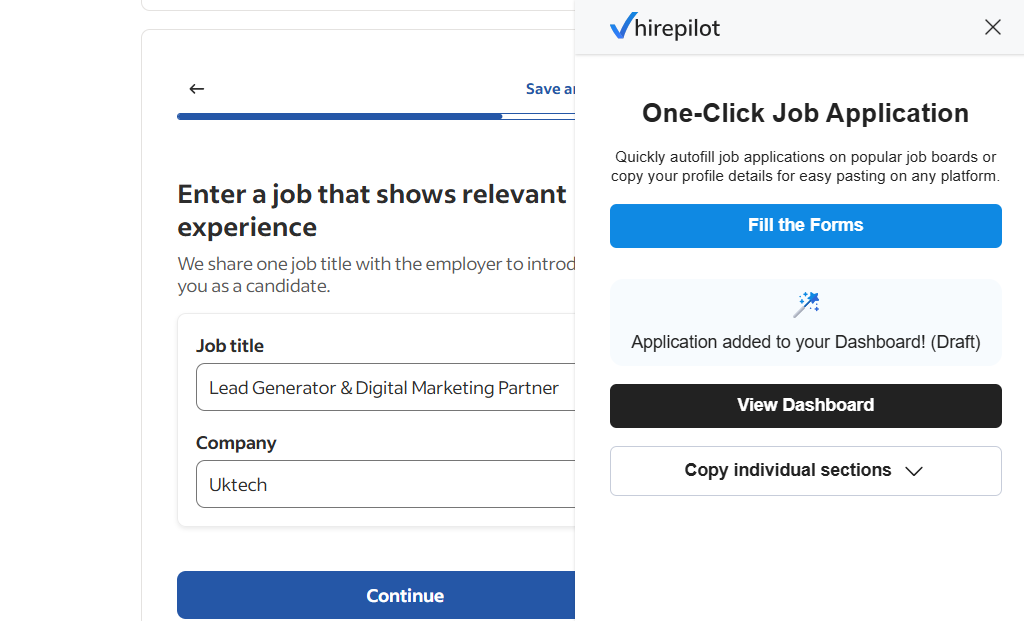
But your experience doesn’t stop at sending applications. Every job you apply to is instantly tracked in your dashboard, so you never lose sight of your progress. Plus, HirePilot empowers you even further: within your dashboard, you can easily discover recruiter or hiring manager contacts and instantly generate personalized messages for outreach. This combination of streamlined applying, effortless tracking, and proactive networking ensures you’re always a step ahead in your job search journey.
When you find a job you want to apply for on major platforms like LinkedIn, Indeed, Glassdoor, or Workday., the extension springs into action. With a single click, it uses your saved profile to auto-fill the entire application form, similar to how one-click apply tools speed up your process elsewhere. You no longer have to manually type or copy-paste your information over and over again, instead, you benefit from features highlighted in our ultimate guide to application auto-fill, which explains how time-saving automation works in real-world scenarios.
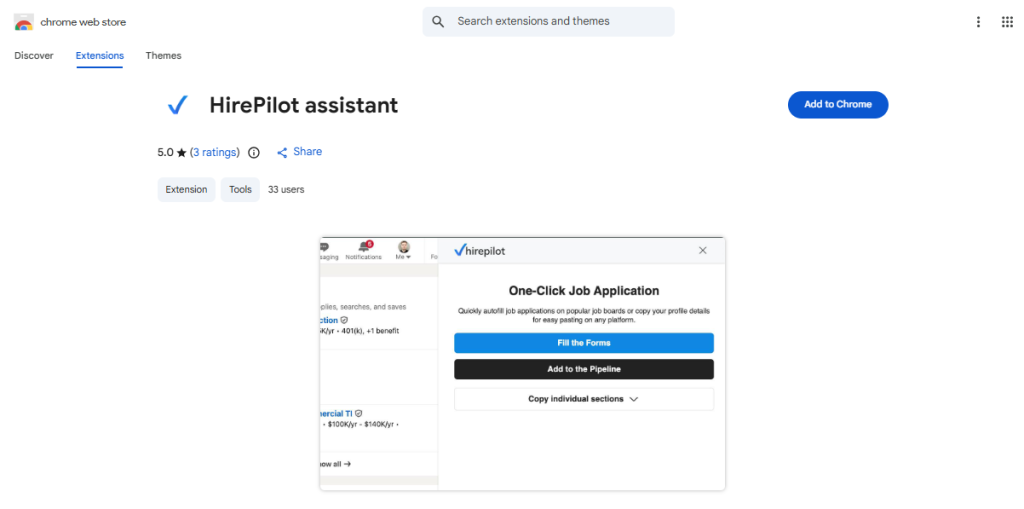
Here’s a simple breakdown of the process:
- Set up your profile: Begin by filling out your professional profile within the HirePilot dashboard. Upload your resume, which will be automatically parsed to populate your details, including work history, education, and skills. Review the information, make any necessary edits, and confirm its accuracy.
- Install the extension: Once your profile is complete, download the HirePilot extension from the Chrome Web Store or another supported browser. The installation is quick and seamless, setting you up to simplify your job search process.
- Find a job: Browse job boards as you normally would.
- Auto-fill with one click: When you land on an application page, the HirePilot icon will appear. Click it, and watch as the form is instantly populated with your information.
- Review and submit: Quickly review the pre-filled fields to ensure everything is correct and make any job-specific tweaks, then submit your application.
What used to be a 20-minute chore becomes a 30-second task. This efficiency is a game-changer. It means you can apply to five, ten, or even twenty times more jobs in the same amount of time, dramatically increasing your chances of getting noticed. The HirePilot extension doesn’t just save you time; it empowers you to take a more proactive and aggressive approach to your job search.
Addressing the fears: Is an auto-fill tool trustworthy?
New technology, especially when it involves personal data and career opportunities, often comes with a healthy dose of skepticism. You might be wondering if using a tool like the HirePilot extension is safe, effective, or even ethical. Let’s tackle these common concerns head-on and separate the myths from the facts.
Fear #1: “Is my personal data safe?”
This is the most critical question, and the answer is yes. We built HirePilot with security as a top priority. Your data is protected using industry-standard encryption, both when it’s stored in your profile and when it’s being transmitted to fill out an application. We understand the sensitivity of your personal and professional information.
Furthermore, you have complete control over what you share. HirePilot allows you to decide which information to save in your profile. If you’re uncomfortable storing sensitive data like a social security number, you can simply leave those fields blank and fill them in manually when required. Our privacy policy is transparent, and we are committed to keeping your data secure. Your trust is our foundation, and we work diligently to earn and maintain it. Data privacy is not just a feature; it’s a core principle of our platform.
Fear #2: “Will my applications look generic or robotic?”
This is a valid concern. In a competitive job market, personalization is key. The goal of the HirePilot extension is not to send out a flood of identical, low-effort applications. Instead, it’s designed to handle the repetitive, non-strategic parts of the application, freeing you up to focus on personalization.
The extension is a tool for efficiency, not a replacement for human oversight. After the auto-fill works its magic, you should always take a moment to review the application. This is your chance to:
- Tailor your experience: Tweak the descriptions of your past roles to highlight the skills most relevant to the specific job.
- Add a personal touch: If there’s a section for a brief introduction or additional comments, use it to express your genuine interest in the company.
- Attach a custom cover letter: Never use a generic cover letter. The time you save on data entry can be reinvested into writing a compelling, targeted letter for each role.
Using the HirePilot extension doesn’t make your application generic; it makes you more efficient. The final product is still entirely under your control. The tool handles the tedious work so you can focus on the strategic work of standing out. If you want practical tips on how to tailor your applications further, explore our approach to resume optimization. Need confidence for your next interview? Check out these proven methods to stay confident even when nerves strike. For those interested in learning how to master job search organization, we share step-by-step strategies from real users. Using the HirePilot extension not only speeds up your applications; it empowers you to apply smarter.
Fear #3: “Will applicant tracking systems (ATS) or recruiters flag my application?”
No. The HirePilot extension simply automates the manual process of typing information into a web form. From the perspective of an Applicant Tracking System (ATS) or a recruiter, an application submitted with HirePilot’s help is indistinguishable from one filled out entirely by hand.
The extension interacts with the user interface of the website, just as you would. It doesn’t use back-end APIs or other methods that could be flagged as non-human activity. The data is entered into the same fields you would use, creating a standard application. As long as the information you provide is accurate and you take the time to review it, there is no risk of being penalized. In fact, by ensuring all fields are completed correctly and consistently, you might even reduce the chance of errors that could get your application filtered out.
The purpose of an AI job application assistant is to enhance, not cheat, the system. It helps you play the game more effectively by following the rules at a faster pace.
Fear #4: “Will I lose control over my job search?”
Quite the opposite. The HirePilot extension, combined with the HirePilot job tracker, gives you more control than ever before. Many job seekers struggle with organization. They apply to dozens of jobs and quickly lose track of where they applied, when they applied, and whether they need to follow up. This chaos leads to missed opportunities.
HirePilot centralizes your entire job search. When you apply for a job using the extension, that application is automatically logged in your personal dashboard. You can see a clear pipeline of all your opportunities, from “Applied” to “Interviewing” to “Offer.” This organized approach ensures nothing falls through the cracks. You can set reminders to follow up, store contact information for hiring managers, and keep notes on each interview.
Instead of losing control, you gain a high-level, strategic overview of your entire job search. This level of organization is crucial for managing a high volume of applications effectively and making informed decisions about your next steps. You’re not just applying for jobs; you’re managing a professional career campaign.
The strategic advantage of using the HirePilot extension
Saving time is the most obvious benefit of the HirePilot extension, but its strategic value goes much deeper. By automating the low-value tasks of your job search, you unlock the capacity to focus on high-value activities that actually get you hired.
1. Increase your application velocity
The job search is often a numbers game. The more targeted applications you submit, the higher your chances of landing an interview. However, manually filling out each application creates a natural limit to how many you can complete in a day. You might burn out after just five or six applications.
With the HirePilot extension, that limit disappears. You can apply to dozens of relevant positions in the time it used to take for a handful. This massive increase in volume significantly expands your reach and top-of-funnel opportunities. As long as you continue to target roles that are a good fit, applying to more of them is a winning strategy. You’re casting a wider, more effective net.
2. Focus on what truly matters
What would you do with an extra 10-15 hours each week in your job search? That’s the time the HirePilot extension can give you back. Instead of mind-numbing data entry, you can invest that time in activities that move the needle:
- Networking: Identify and connect with employees and hiring managers at your target companies. A well-placed referral can be more powerful than a hundred online applications.
- Interview Preparation: Thoroughly research the company, practice your answers to common interview questions, and prepare thoughtful questions to ask your interviewers.
- Skill Development: Take an online course or earn a certification to strengthen your qualifications for the roles you want.
- Resume and Cover Letter Customization: Spend more time tailoring your resume and writing compelling, personalized cover letters that speak directly to the job description.
The extension doesn’t just make you faster; it makes you better. It allows you to shift from being a “job applicant” to a “strategic job seeker,” empowered with AI-driven optimization tips and application tracking strategies proven to deliver real results. Discover how other professionals have used automation to accelerate their careers by checking out these success stories and learn more about resume transformation that gets you noticed. If you’re curious how one-click applications are changing the market, find details in our post on best ways to get hired faster with AI tools.
3. Maintain momentum and avoid burnout
The job search is emotionally taxing. The repetitive tasks, the waiting, and the rejections can wear down even the most resilient person. Burnout is a major reason why many job seekers settle for roles they aren’t passionate about or give up on their search altogether.
The HirePilot extension helps you maintain positive momentum. By making the application process quick and easy, it provides a sense of progress and accomplishment. Each application you send is a small win that keeps you moving forward. This psychological boost is incredibly important. It helps you stay motivated, confident, and engaged in your search, which in turn improves your performance in every other aspect of the process. A motivated job seeker is an effective job seeker.
4. Improve application quality and consistency
When you’re manually filling out dozens of applications, it’s easy to make mistakes. A typo in your email address, an incorrect date for a previous job, or a forgotten skill can all hurt your chances. The HirePilot extension ensures that your core information is entered consistently and accurately every single time.
By creating a single source of truth in your HirePilot profile, you can proofread your information once and then deploy it flawlessly across all your applications. This reduces the risk of human error and presents a more polished, professional image to employers. Combined with the HirePilot job tracker, you can maintain a high standard of quality and organization across your entire job search, which is a hallmark of a serious professional.
How to get started with the HirePilot extension in 3 easy steps
Ready to take control of your job search and leave the tedious data entry behind? Getting started with the HirePilot extension is simple, fast, and will immediately change the way you apply for jobs. Here’s how to do it.
Step 1: Create your profile and install the extension
The first step is to create your HirePilot profile and download the extension. Start by uploading your resume to the platform. The system will parse the document and automatically fill in your profile details, including your work history, education, and skills. Once the information is populated, review it carefully, make any necessary edits, and confirm its accuracy. After your profile is complete, proceed to download the HirePilot extension from the Chrome Web Store. The installation is quick and easy, and once added to your browser, you’re ready to streamline your job search like never before.
Step 2: Find relevant jobs on your favorite platforms
With your profile complete, you can start your job search as you normally would. Head to popular job boards like LinkedIn, Indeed, Glassdoor, or directly to company career pages. HirePilot is designed to work across all major platforms, and we are constantly expanding its compatibility.
As you browse and identify roles that align with your career goals, click the “Apply” button to open the application page. This is where you’ll see the HirePilot extension come to life. Don’t change your job search habits; just enhance them with a powerful new tool.
Step 3: Auto-fill, review, and submit
On the application page, you’ll see the HirePilot icon. Click it, and in an instant, the extension will populate all the corresponding fields with the information from your profile. This is the magic moment where minutes of typing are condensed into a single click.
Before you hit “Submit,” take a brief moment to review the form. Ensure all the information is correct and look for opportunities to add a personal touch. You might want to tweak a sentence in your work experience to better match the job description or add a keyword you noticed. This final review ensures your application is both efficient and highly tailored. Once you’re satisfied, submit your application with confidence.
That’s it. You’ve just completed an application in a fraction of the time it used to take. Now, you can move on to the next one, building momentum and dramatically increasing your output without the extra effort.
FAQ: About the HirePilot extension
1. How does HirePilot fill out my job applications?
After creating your account and uploading your resume, the platform’s advanced parser automatically builds your HirePilot profile from your resume information. You can edit or update any fields to make sure everything is correct. Once you’ve confirmed your profile, the extension will use this data to auto-complete application forms on platforms like LinkedIn, Indeed, Glassdoor, and Workday with a single click, making the process seamless and fast.
2. Is my personal data secure with HirePilot?
Absolutely. HirePilot uses industry-standard encryption to keep your data safe at every step, and you have full control over which pieces of information to include in your profile. Sensitive or optional fields can be left blank, and you’re always able to review or delete saved data as needed.
3. What if the auto-fill information isn’t correct or needs updates?
No problem, after parsing your resume, you’ll be guided to review every field in your profile. It’s easy to edit, add, or remove information before you ever use the extension. Even after using auto-fill, you can make last-minute tweaks to each job application for extra accuracy and personalization.
4. How does HirePilot help me organize and track my job search?
Each application you submit using the extension is instantly logged in your HirePilot dashboard. This organized hub lets you manage job statuses, set reminders, store contacts, and even generate personalized outreach messages for recruiters or hiring managers, empowering you to stay on top of every opportunity and follow-up efficiently.
5. Will recruiters know I’m using an extension?
No, applications made through HirePilot look just like those completed by hand. The extension only automates data entry, there’s no evidence to the employer or ATS that an extension was used. For more strategies on boosting your visibility, learn how to bypass the resume black hole.
The future of job searching is here
The world of work is evolving, and so are the tools we use to navigate it. The traditional method of applying for jobs is outdated, inefficient, and a major source of frustration for millions of professionals. Relying on manual data entry in an age of automation is like choosing to walk when you could be driving a car.
The HirePilot extension is more than just a time-saver; it’s a fundamental shift in how to approach the job search. It empowers you to move beyond tedious administrative tasks and become a strategic manager of your own career campaign. By handling the repetitive work, it frees you to focus on what humans do best: building relationships, crafting compelling narratives, and preparing to make a great impression.Stop letting application forms dictate the pace of your career journey. Take control, save time, and focus your energy on the activities that will actually land you the job you deserve. The HirePilot extension is your co-pilot in this mission, helping you navigate the job market faster, smarter, and with less stress. Your next great opportunity is out there. Let HirePilot help you reach it.