


You found a job on Indeed that looks exactly right. The title fits, the company seems solid, the salary range is in your zone. You click Apply. And then the form opens.
Name. Address. Phone number. Work history. Education. Resume upload. Cover letter. Screening questions. By the time you reach the end, fifteen minutes have passed and you have not even started on the next role. Multiply that by twenty applications and job searching starts to feel like a second full-time job.
This article explains how Indeed applications actually work, what Indeed Easy Apply is and where it saves time, how to fill out the standard Indeed form without starting from scratch every time, and how to make the whole process faster with the right setup. It also covers what to do after you apply, because submitting a form is only the first step.
How Indeed applications work
When you click Apply on Indeed, one of two things happens. Either you are taken directly to a form hosted on Indeed's platform, or you are redirected to the company's own careers page. The difference matters because the experience and what you can automate is completely different in each case.
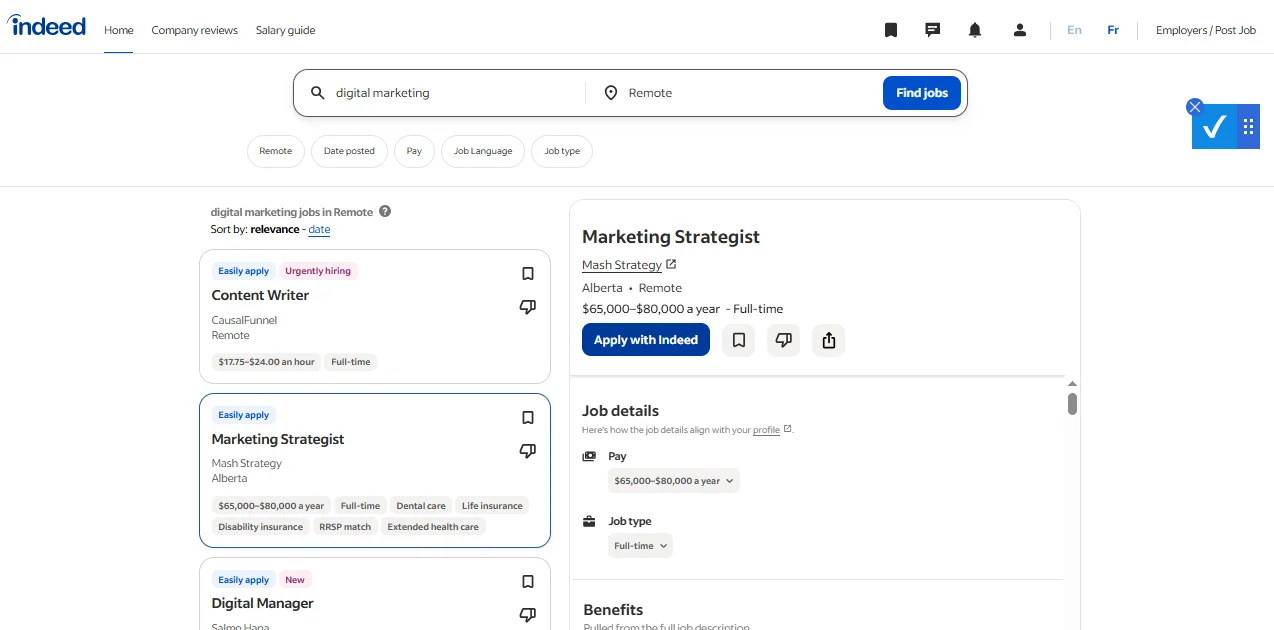
The company-hosted route means you land on a Workday form, a Greenhouse form, a Lever form, or whatever ATS that employer uses. Indeed is just the directory. The actual application happens somewhere else entirely. If you want to understand how Workday moves candidates through its pipeline from the employer's side, that context helps you know what to expect after you submit.
The Indeed-hosted route keeps you on the platform. This is where Indeed Easy Apply lives, and it is the faster of the two options when it works well.
What Indeed Easy Apply is and how it works
Indeed Easy Apply is a shortened application format that lets you apply to certain jobs without leaving Indeed. Instead of going to an external careers page, you fill out a form directly on Indeed's platform using the information already stored in your Indeed profile.
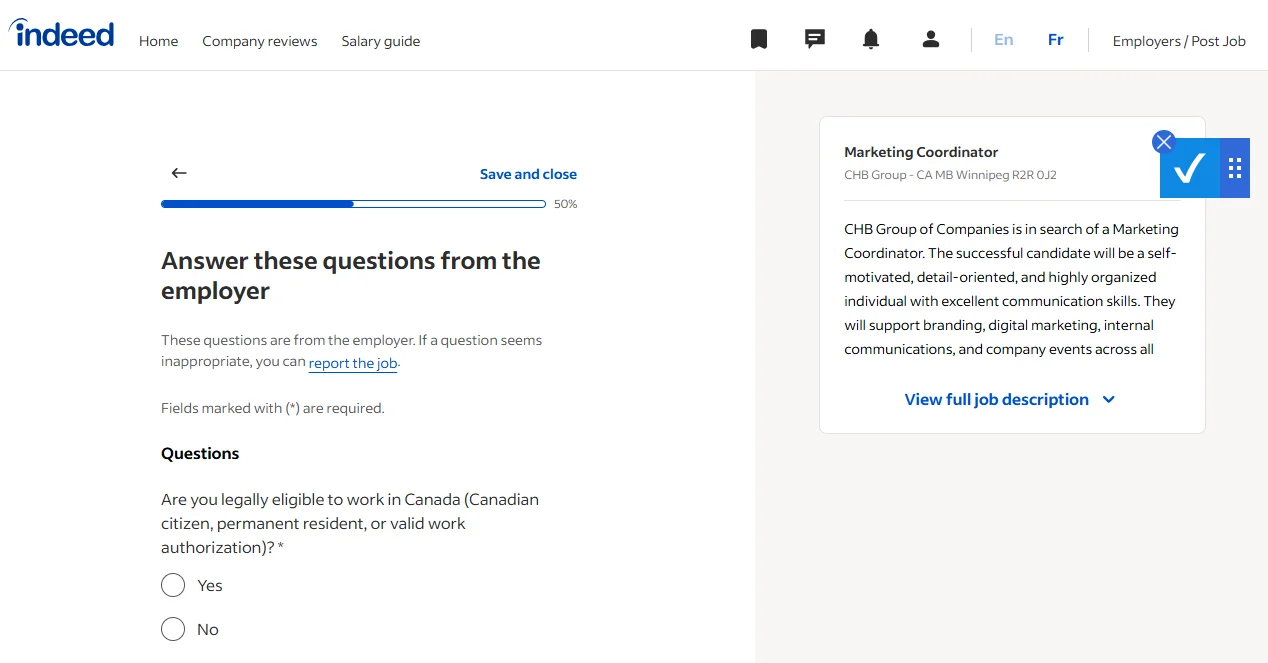
When a job posting has the Easy Apply badge, the employer has opted into Indeed's simplified application flow. You see your pre-filled name, contact details, and resume, answer any screening questions the employer added, and submit. In the best cases this takes a few minutes.
The adoption is significant. According to Indeed's own data, employers who enable Easy Apply receive five times more completed applications compared to standard external forms. That means more companies are opting in, and the pool of Easy Apply roles keeps growing.
The catch is that not every job on Indeed has Easy Apply. Many postings still redirect you to an external form. There is no universal filter for Easy Apply jobs by default, but you can find it under the "Job type" or "Date posted" filter area depending on your region. Search for roles as normal, then look for the green "Easily apply" label next to the job title in the results.
A few things affect how useful Easy Apply actually is. If your Indeed profile is incomplete, the pre-filled fields will be incomplete too and you will still have to type everything manually. If the employer added a long list of screening questions, those cannot be skipped regardless of how well your profile is set up. And some employers use Easy Apply as a first-pass filter but still expect a full application through their own system if you advance.
Does Indeed Easy Apply work as a strategy? It depends on what you are measuring. It is genuinely faster per application. Whether it leads to more interviews depends on the role, the company, and how many other candidates are doing the same thing.
How to fill out an Indeed application form
For jobs that redirect to Indeed's own hosted form rather than triggering Easy Apply, you are working with a more detailed set of fields. Here is what the standard Indeed application form typically asks for and where most people lose time.
Contact information is first. Name, email, phone, location. If you have an Indeed account and are logged in, this section pre-populates. Keep your profile updated so you are not correcting this by hand every time.
Resume comes next. You can upload a file or use a resume already saved to your Indeed profile. Using a saved resume is faster, but make sure it is the version you actually want employers to see. Some people have an outdated resume attached to their profile and do not realize it until after they have applied to dozens of roles.
Work history often appears as a separate section even if your resume is attached. Employers want the information in a structured format their ATS can parse, not just as a document. This is one of the most time-consuming parts because you are effectively re-entering what is already on your resume. The same pattern appears on Workday forms, and how to complete a Workday application faster covers that specific flow in detail.
Education follows a similar pattern. Degree, school, graduation period. Straightforward but repetitive.
Screening questions are the wildcard. These are set by the employer and can range from one yes/no question to a long set of open-ended responses. There is no shortcut here. They have to be read and answered individually.
Cover letter is optional on most Indeed applications but some employers require it. If the role matters to you, write a focused one. If you are applying at volume, a strong template that you adjust lightly for each role is the practical approach.
The pattern you notice across all of this is that the information is largely the same from application to application. Your name, your history, your education do not change. What changes is that you are entering them from scratch on every new form.
The real problem with Indeed applications
Here is the insight that changes how you think about the process.
The friction in job searching is not finding roles. Indeed has millions of postings and the search is good. The friction is the repetitive data entry that happens between finding a role and actually getting your name in front of someone.
Most job seekers solve this by slowing down, applying to fewer roles, and spending more time on each one. That approach feels careful but it limits how many opportunities you can realistically pursue in a week. The people who move faster are not cutting corners on quality. They have eliminated the repetitive parts so they can spend their time on the parts that actually matter: tailoring responses to screening questions, writing a focused cover letter for the roles they care about, and reaching out to someone at the company the same day they apply.
The form is not the job search. The form is just the ticket in.
"Most people treat every application like it is a one-off task. The ones who get interviews treat it like a pipeline. Every role has a stage. Every stage has a next action." Viktor Shumylo, co-founder, HirePilot
How to apply on Indeed faster
Autofill is the most direct fix for the repetitive data entry problem. The HirePilot Chrome extension fills job application forms on Indeed, LinkedIn Easy Apply, and Workday automatically. Your contact details, work history, and education fields are completed in one click. The application is also saved to your job tracker automatically, so you do not have to maintain a separate spreadsheet to remember where you applied.
The practical difference is significant. Fields that take five to ten minutes to fill manually take seconds with autofill. That time adds up when you are applying consistently across multiple platforms.
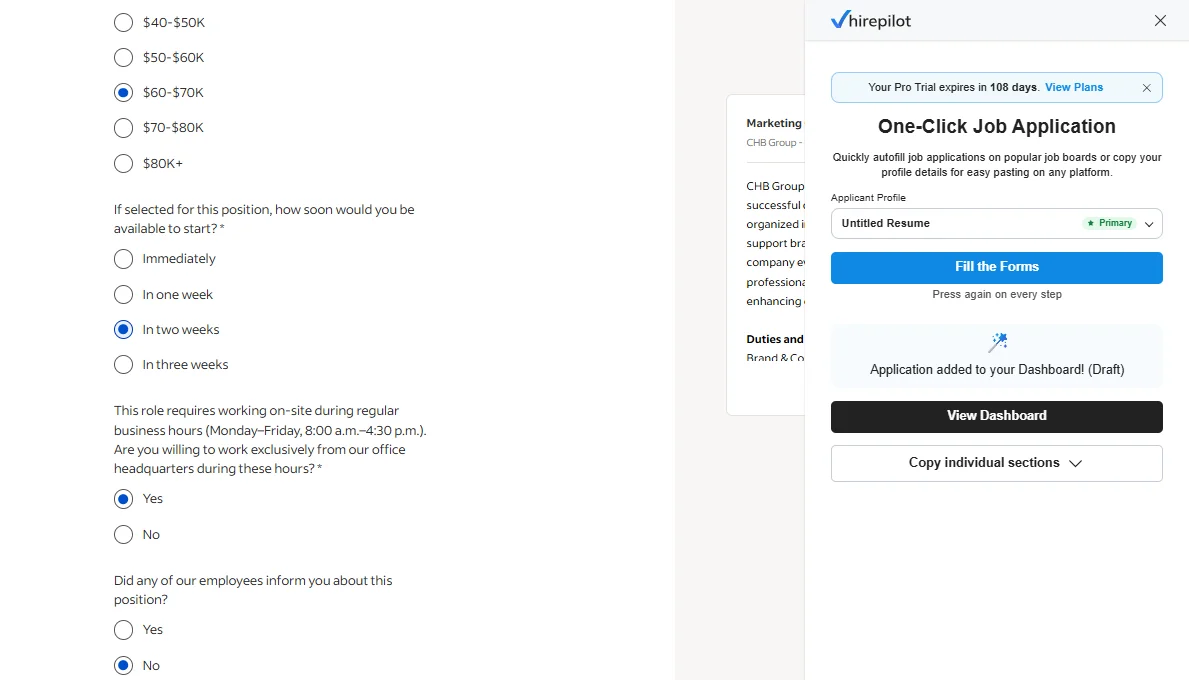
The extension works on Indeed's hosted forms and on the Easy Apply flow, filling all fields automatically including screening questions and open-ended prompts. That is intentional. The tool handles the repetitive parts and leaves the judgment calls to you.
If you want to understand how autofill works across different application platforms, HirePilot's autofill guide covers what it fills, where it works, and where it sometimes needs a manual correction.
How to track jobs you applied for on Indeed
Indeed has a built-in application history under your profile. You can see which roles you applied for through the platform, the date you applied, and in some cases the application status if the employer has connected their ATS to provide updates. To find it, log in, go to your profile, and look for the "My jobs" section, then select "Applied."
The limitation is that this only tracks applications submitted directly through Indeed. If you applied on a company career page, on LinkedIn, or through Workday, those applications do not appear here. You end up with a partial picture.
The other issue is that Indeed's tracking does not show you the full pipeline view: who you have followed up with, which roles are still active, which ones have gone quiet, which companies you want to revisit. It is a log, not a workflow.
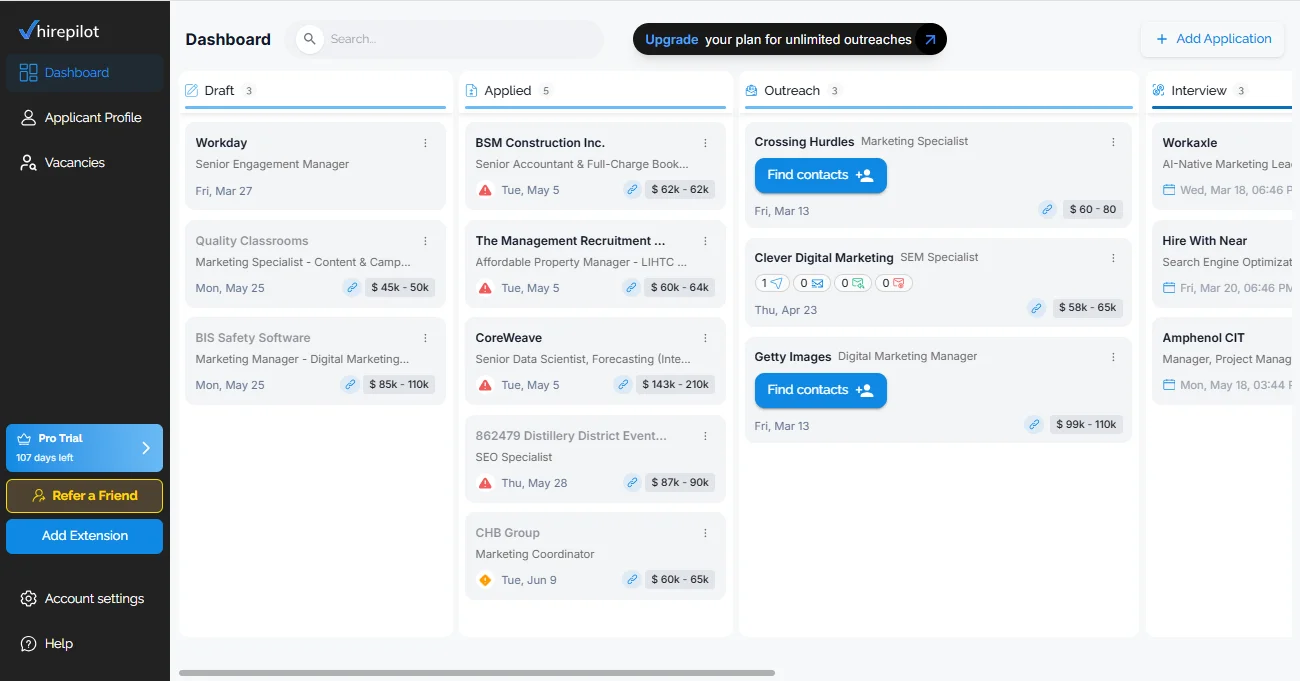
A job tracker that pulls in applications from all platforms gives you that full view. When you use HirePilot's autofill, each application is saved automatically to a Kanban board where you can move roles through stages, add notes, and track follow-up dates across everything, whether you applied on Indeed, LinkedIn, or Workday.
What to do after you apply on Indeed
This is where most job seekers stop, and it is a significant gap.
Submitting a form puts your resume into a queue. Depending on the role, that queue might have a few dozen applicants or a few hundred. Recruiters and hiring managers are working through that list with limited time. A resume in a pile competes with every other resume in the pile.
"We kept seeing the same pattern: strong candidates, solid resumes, zero follow-up. The application went in and nothing happened after. That gap is where most searches stall." Viktor Shumylo, co-founder, HirePilot
The thing that changes the odds is reaching the hiring manager directly, the same day you apply. A short, personalized message sent to the person making the decision adds a human layer to an otherwise anonymous application. It does not guarantee anything. But it creates a second point of contact at a moment when your application is still fresh.
HirePilot's outreach feature finds the hiring manager behind a role and generates a personalized message you can send the same day. This is the part of the job search that no other autofill tool covers. Reaching hiring managers directly often makes the difference between being one name in a stack and being a name someone remembers.
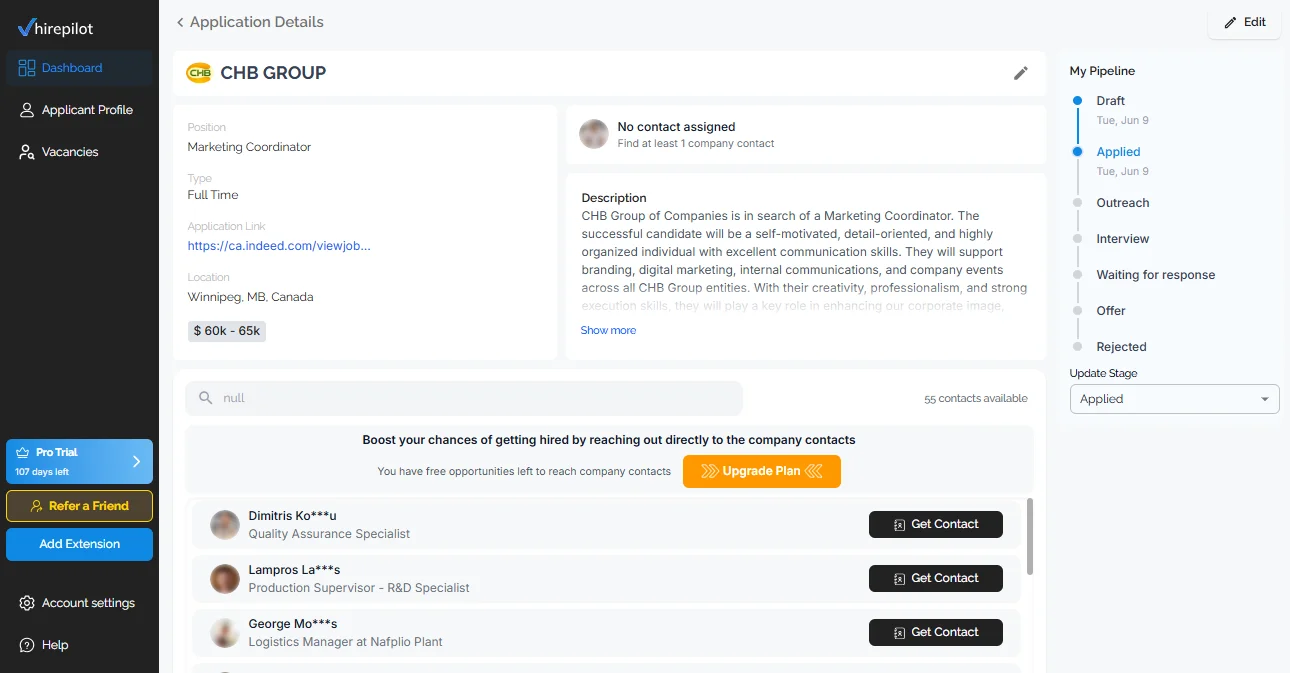
The workflow is: find the role on Indeed, autofill the form, application saves to your tracker, find the hiring manager, send the message. That sequence takes significantly less time than filling the form manually and doing nothing afterward.
Is it better to apply on Indeed or on the company website
This comes up often and the honest answer is that it depends on what the employer prefers.
Some employers specifically say in their job posting to apply through the company website. In those cases, apply there. Ignoring that instruction is a bad start.
For roles that do not specify, Indeed Easy Apply is fine. The application reaches the same ATS as a direct application in most cases. Where it can differ is in how the application is parsed and whether all the fields carry through cleanly. Some ATS configurations handle Indeed Easy Apply better than others.
If a role matters to you, applying through both channels is not unusual, though it can create duplicate entries on the employer's side. A cleaner approach is to apply through whichever channel the posting suggests, or through Indeed if no preference is stated, and then follow up with a direct message to the hiring manager regardless.
The channel matters less than the follow-up.
FAQ: Indeed Easy Apply
Does applying on Indeed actually work?
Yes, for the right roles. Indeed is one of the largest job platforms and many companies actively hire through it. The key variable is how competitive the role is. For high-volume positions, being early matters more than the platform you use. For specialized roles, the quality of your application and follow-up matters more than the application channel.
Does Indeed have Easy Apply for all jobs?
No. Easy Apply is available only for jobs where the employer has opted in. You can identify them by the green "Easily apply" label in search results. Many job postings on Indeed still link to external application forms on the company's careers page.
Does Indeed Easy Apply work well?
It works well when your Indeed profile is current and complete. The pre-filled fields save time on contact details and resume. Where it falls short is when employers add long screening question sets, which still have to be answered manually regardless of your profile setup.
How do I see what jobs I applied for on Indeed?
Log in to your Indeed account and go to your profile. Look for the "My jobs" section, then select "Applied." This shows applications submitted through Indeed. It does not include applications submitted on external company websites or other platforms.
How do I message an employer on Indeed after applying?
Some job postings have a messaging option through Indeed's platform. You can also look up the hiring manager on LinkedIn and send a direct message there. A brief, specific note referencing the role you applied for and why you are a strong fit is more effective than a generic follow-up.
Find your next job faster - without the chaos
Spend minutes, not hours, on applications. Stay organized, follow up confidently, and get noticed sooner.
Share this article

Viktor Shumylo
Viktor Shumylo is the co-founder of HirePilot, an AI-powered job search platform. He has 10+ years of experience building SaaS products and tools that help job seekers optimize resumes, streamline applications, and land interviews faster.
More articles by Viktor Shumylo