
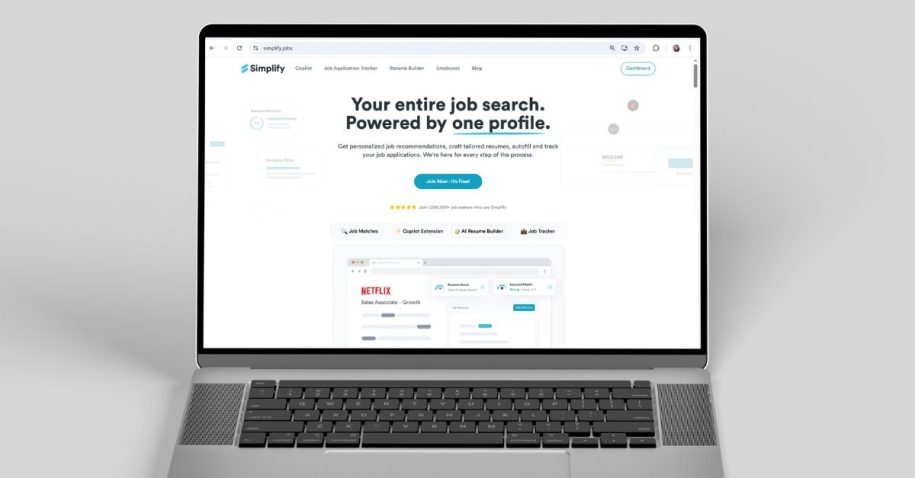
If you have spent any time applying for jobs online, you know the drill. You find a role you want, click apply, and spend the next 20 minutes typing the same work history you have typed a hundred times before. The Simplify extension was built to fix that. But does it deliver on that promise?
This review is based on firsthand testing of the Simplify Copilot extension across multiple job boards and application portals. The goal here is simple: give you an honest picture of what works, what does not, and whether this tool belongs in your job search.
What is the Simplify extension?
The Simplify extension, also known as Simplify Copilot, is a Chrome browser extension designed to autofill job applications using a profile you build once. It works across more than 100 applicant tracking systems, including Workday, Greenhouse, Lever, iCIMS, Taleo, and SmartRecruiters. It also integrates with LinkedIn Easy Apply and Indeed.
Beyond autofill, Simplify includes a job tracker, a resume keyword analyzer, a job board with curated listings, and a suite of AI tools for resume tailoring and cover letter generation. The core autofill and job tracking features are free. More advanced AI features sit behind the paid Simplify+ plan.
In short: Simplify is a job search assistant that lives in your browser and tries to reduce the repetitive work of applying at scale.
How the Simplify Chrome extension works
Setup starts with installing the extension from the Chrome Web Store. From there, you are walked through an onboarding process that asks you to upload your resume and build out a profile. The onboarding experience is one of Simplify’s genuine strengths. There is a progress bar that shows how far along you are, short explanations at each step, and the option to skip fields you want to fill in later. It feels considered, not overwhelming.
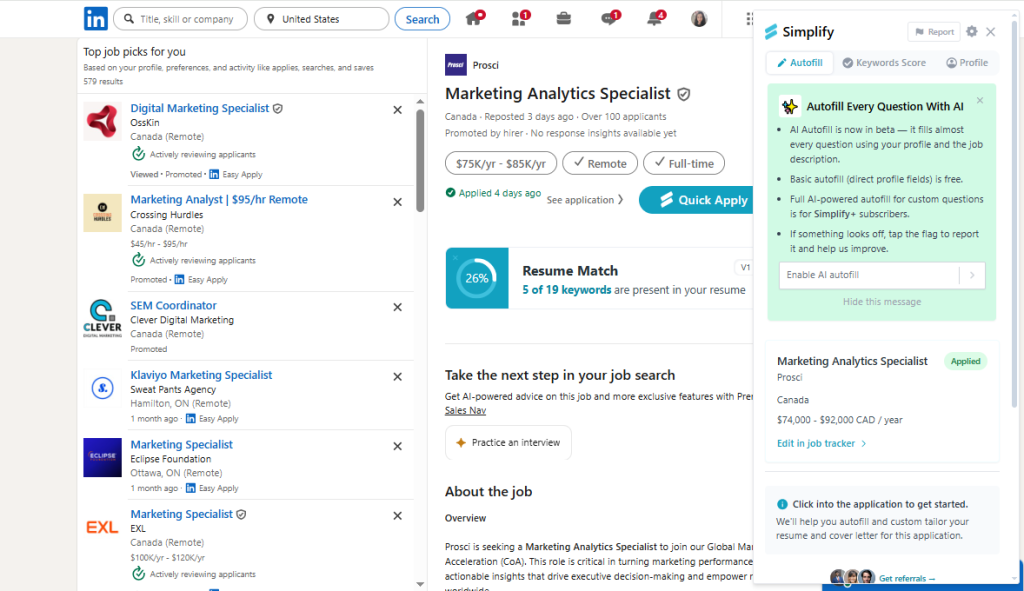
Once your profile is complete, the extension activates when you land on a supported application page. A Simplify icon appears in the corner of the form, and clicking it triggers the autofill. The extension reads the form fields and populates them with data from your profile.
The Simplify jobs extension also layers onto job boards directly. On LinkedIn and Indeed, it analyzes the job description you are viewing and surfaces information about how your resume matches the role requirements, including keywords that are missing from your profile.
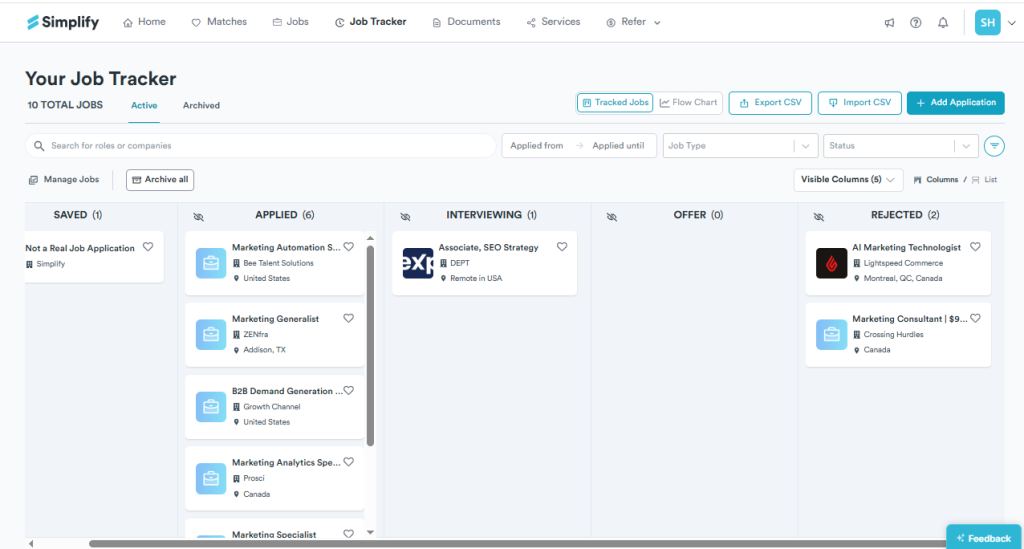
After you submit an application, it is automatically saved to your dashboard, where you can track status, view the job description, and manage follow-ups.
What the Simplify jobs extension does well
Onboarding and user experience. The setup process is genuinely well done. The progress bar, the step-by-step guidance, and the ability to skip non-essential fields make the initial experience far less painful than most tools. Founder tips appear throughout the interface, which adds a human quality that many job search tools lack.
Job tracker. The built-in tracker is one of the stronger features. It uses a Kanban board layout, supports filters by status, application type, and date range, and includes basic analytics so you can see patterns in your search. After you submit an application, Simplify immediately surfaces similar roles, which keeps momentum going. This is genuinely useful for anyone managing a high-volume search without spreadsheets.
Skill match on job cards. When browsing Simplify’s job board, each listing shows a percentage score indicating how well your skills match the role requirements. This helps you prioritize applications and avoid spending time on roles where the gap is too wide.
Resume keyword analysis. The extension scans job descriptions and flags keywords that are missing from your resume. This is a practical way to improve your chances of passing ATS filters before you hit submit.
Free tier generosity. The base version of Simplify and Simplify Copilot, including unlimited job tracking and autofill, is and will be free forever. That is a meaningful commitment for a tool that delivers this much functionality at no cost.
Where the Simplify extension falls short
This is where the testing got frustrating.
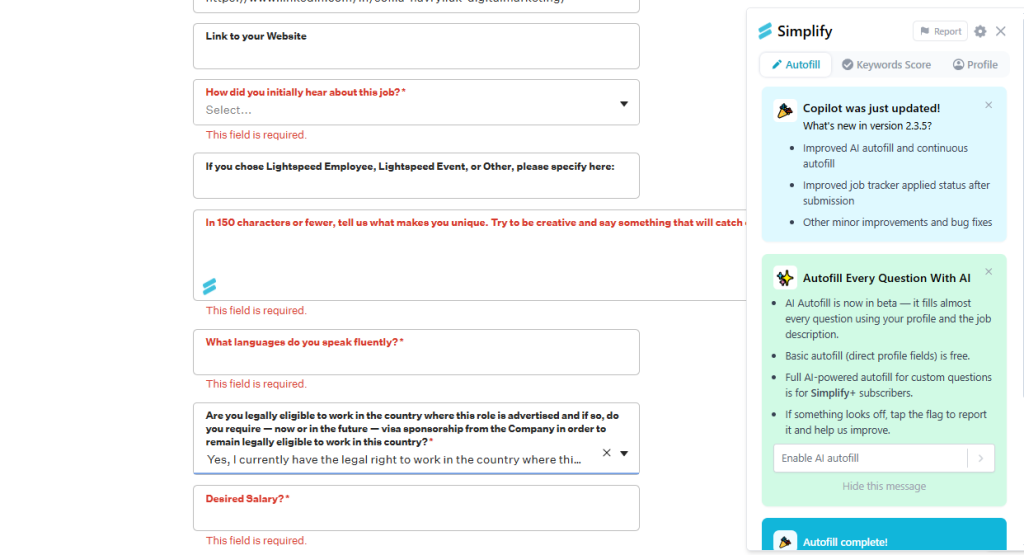
Autofill reliability is inconsistent. The core promise of the Simplify jobs extension is that it fills out forms for you. In practice, that promise holds up on some platforms and breaks down on others. During testing, there were multiple forms where the extension did not populate any fields at all. On others, it filled in some sections correctly but left others empty, requiring manual entry anyway.
LinkedIn Easy Apply issues. On LinkedIn, Simplify adds its own apply button to listings. Clicking that button should trigger the autofill flow, but during testing it redirected to a different job listing entirely, breaking the application process. This is a significant bug given that LinkedIn Easy Apply is one of the most common application methods job seekers use.
Resume parsing errors. When uploading a resume during setup, the parser made several notable mistakes. Certifications were placed under the education section rather than a dedicated certifications field. The date of birth field was populated with today’s date rather than the correct information. These kinds of parsing errors mean you have to review and correct the profile before trusting the autofill to work accurately.
Post-registration experience. After completing registration and email verification, the tool logged the test account out and required signing in again from scratch. This is a small friction point, but it adds unnecessary confusion right at the moment when a new user is trying to get started.
Referral section. There is a referral feature in the platform that is difficult to understand. It is not clearly explained what it does, how it benefits you, or how to use it effectively.
Simplify Copilot pricing: Free vs. Simplify+
Simplify also has a premium subscription called Simplify+ that offers an additional suite of AI features to help you supercharge your job search.
Here is how the tiers break down:
Free (Simplify Copilot):
- Unlimited autofill across 100+ platforms
- Job application tracker with Kanban board
- Resume keyword analysis
- Job board with skill match scoring
- Basic resume builder
Paid (Simplify+):
- AI-generated cover letters
- AI resume tailoring to specific job descriptions
- AI-generated responses to open application questions
- Advanced resume ATS scoring
- Networking features
Pricing reported by third-party reviews was approximately $19.99 for one week, $39.99 for one month, and $89.99 for three months.
For most job seekers, the free version covers the core use case. The paid features become relevant if you are in a high-intensity, short-term search and want AI to draft application content at speed. That said, any AI-generated cover letter or resume still needs to be reviewed and rewritten in your own voice before sending. Recruiters notice generic AI output quickly.
Who should use the Simplify extension
Simplify works well in specific situations. If you are applying to a high volume of roles and the main friction in your process is repetitive data entry, the extension removes a real pain point. The job tracker is clean and functional. The skill match scoring on job cards helps you prioritize. The onboarding is well-designed.
It is a solid tool for early-career candidates, students applying to internships, and anyone managing a broad search across multiple platforms where form-filling is the biggest time sink.
Where it falls short is in delivering on its core promise consistently. If you install the extension expecting every form to fill itself with one click, you will encounter enough exceptions and errors to slow you down. The autofill is genuinely useful when it works. When it does not, you are back to typing manually anyway.
What to consider if Simplify is not solving your problem
Autofill saves time. But time saved on forms does not automatically translate into more interviews. The candidates who consistently break through are not the ones who applied fastest. They are the ones who got in front of the right person before the ATS had a chance to filter them out.
HirePilot approaches this differently. The extension autofills applications on LinkedIn Easy Apply, Indeed and Workday, and includes a job tracker to keep your pipeline organized. But the feature with no equivalent in Simplify is direct outreach: find the hiring manager behind the role, generate a personalized message based on the job description, and reach out before your resume gets buried.
| Feature | Simplify | HirePilot |
|---|---|---|
| Job board | ✔ | ✔ |
| Autofill applications | ✔ | ✔ |
| Job tracker | ✔ | ✔ |
| Resume keyword matching | ✔ | ✔ |
| Resume tailoring | ✔ | ✖ |
| Direct outreach to hiring managers | ✖ | ✔ |
| AI message generation | ✖ | ✔ |
| Find hiring manager contacts | ✖ | ✔ |
The difference in practice is significant. A targeted message to the right person, sent the same day you apply, puts a name to your application at the moment a hiring manager is actively thinking about the role. That is not a trick. It is just better timing. difference in practice is significant. A targeted message to the right person, sent the same day you apply, puts a name to your application at the moment a hiring manager is actively thinking about the role. That is not a trick. It is just better timing.
FAQ: Simplify extension
What is the Simplify extension for jobs?
The Simplify extension, also called Simplify Copilot, is a Chrome browser extension that autofills job application forms using a saved profile. It also includes a job tracker, resume keyword analyzer, and a job board with role-matching scores.
Is the Simplify Chrome extension free?
Yes. The core features, including unlimited autofill and job tracking, are permanently free. Advanced AI features like cover letter generation and resume tailoring require a Simplify+ paid subscription.
Does Simplify autofill job applications automatically?
Simplify autofills forms when you activate it on a supported application page. It is not fully automatic. You still navigate to each application and trigger the fill manually before reviewing and submitting.
Why is my Simplify extension not working?
Compatibility issues are the most common cause. The extension works reliably on major ATS platforms but can fail on custom company portals or less common job boards. Incomplete profile data also causes fields to populate incorrectly or not at all.
What is Simplify Copilot?
Simplify Copilot is the browser extension component of the Simplify platform. It handles autofill directly on job application pages and integrates with LinkedIn and Indeed to surface keyword and match information.
Is there a better alternative to Simplify for job applications?
It depends on what you need. If your main gap is outreach to hiring managers rather than form-filling speed, a tool like HirePilot approaches the job search differently by combining autofill with AI-powered direct outreach to decision-makers.
Note: This review is based on testing the free version of Simplify Copilot.