

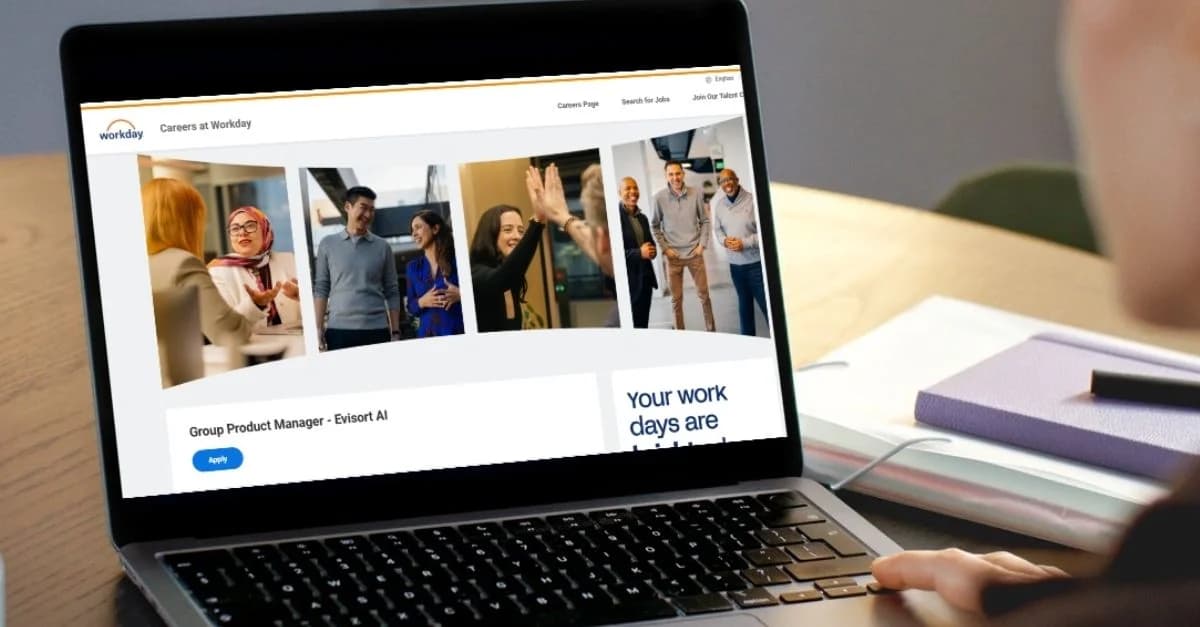
Workday Applicant Tracking System Explained: How to Track Your Applications Smarter

February 23, 2026
Workday applicant tracking system (ATS) is recruiting software used by companies to manage, filter, and track job applicants through structured hiring workflows.
If you’ve applied for jobs through Workday more than a couple of times, chances are you’ve hit a familiar wall of frustration. The questions come fast: Is Workday actually an applicant tracking system or just a regular job portal? Why does each company’s Workday career site look completely different? And most importantly, how can you possibly keep track of all your applications when every employer has their own login, their own workflow, and their own set of rules?
Here’s the truth: Workday is a powerhouse applicant tracking system (ATS) that thousands of Fortune 500s and mid-sized companies rely on for hiring. But for candidates, it often feels like a black box, opaque, decentralized, and just plain confusing. That confusion can cost you interviews and opportunities if you’re not careful.
In this comprehensive guide, we’ll break down exactly what the Workday applicant tracking system is, how it scores and ranks candidates behind the scenes, why manual tracking leads to missed chances, and most importantly the smartest way to take back control of your application pipeline. You’ll walk away ready to outsmart even the most complex digital hiring systems.
What is the Workday applicant tracking system?
Before you can master your job search, you need to truly understand how the tools work. Workday has become the backbone of many HR operations, but it’s not just another place for employers to post openings.
The Workday platform is technically an HRIS (human resources information system) built for enterprise companies. But it also includes a deeply configurable applicant tracking system the main engine recruiting teams rely on to track, rank, and move candidates through complicated hiring pipelines.
And here’s where it gets tricky for job seekers: There is no one single Workday database for all companies. Instead, Workday sells its software as individual “instances” to each employer. Each of those employers then sets up their own workflows, job portals, and workday application tracking system logic. Your profile at Company A does not exist at Company B, even if both use Workday. Every login, every status, every form can be different.
You’re not dealing with a universal login like you do on LinkedIn or Indeed. When you apply to a new company, you’re setting up a new candidate profile every time—from scratch. That can quickly get overwhelming if you don’t stay organized.
Most candidates don’t realize this complexity up front, leading to confusion over why they can’t view all their applications in one place, and why every Workday experience feels totally unique. If you want to see more on how the system tracks your progress, you’ll find an in-depth breakdown in our article on how Workday application statuses actually work.
Of course, the official Workday site provides the technical details of the Workday Recruiting module, but for candidates, the critical thing is learning to think beyond the employer’s dashboard.
How Workday tracks applicants internally
So what actually happens after you hit “Apply” on a Workday-powered job portal? For most candidates, the end result is a lot of waiting and wondering as the portal status slowly changes or doesn’t over days or weeks. But under the hood, there’s a highly structured process that determines who makes it through to a real recruiter’s inbox.
Understanding this workflow is your first step to gaming the system:
Resume parsing
Right after submitting, Workday’s resume parser kicks in. It reads your uploaded document and pulls out structured data, like your skills, work history, and education. All the most important info is mapped into fields in that company’s database. But if your resume formatting is off, or you used a non-standard file type, you risk your most marketable skills not showing up at all. That’s why choosing the right format and including keywords from the job description is critical for beating the workday ats system.
Knockout questions
Before a recruiter ever touches your application, Workday typically hits you with knockout questions. These are those “must-have” yes/no asks: are you eligible to work in the U.S.? Do you have the required certifications? Are you willing to relocate? One wrong answer here, and the system will filter you out automatically, sometimes rejecting your application in seconds.
Ranking & keyword filters
If you pass the knockouts, your application is ranked for relevance. Recruiters set up custom filters that compare your skill keywords and experience with the job description. The workday application tracking system uses match scoring to surface top candidates, and rankings can dramatically impact who gets noticed and who gets lost in the shuffle. For more detail on filtering and the role of AI and automation, it’s worth reviewing resources like SHRM’s explanation of how ATS systems work.
Recruiter workflow buckets
Candidates who clear the automated filters are sorted into buckets by the recruiter, “New Applicants,” “In Review,” “Phone Screen,” “Interview,” “Offer,” and so on. Each company sets up their own workflow sequence, so you’ll find stages vary widely. The recruiter can move you up the funnel or reject you at any time.
What’s missing from all of this? Visibility. Most of the decision-making happens behind the scenes, which is why the Workday status you see as a candidate doesn’t always reflect what’s really happening. Tracking your own applications outside the Workday dashboard becomes essential to stay ahead.
Why Workday tracking feels confusing for candidates
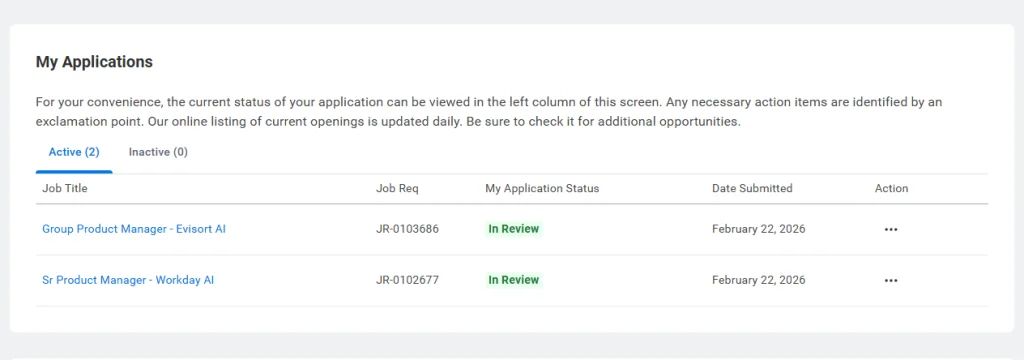
Ask any active job seeker: Workday is powerful, but it’s also a top source of user frustration. Why is it so hard to know where you stand?
No centralized dashboard across companies
Each employer runs its own version of Workday, so you can’t log into a single portal and see every application you’ve submitted. If you’re applying to Target, Netflix, and Home Depot, you’ll have three separate logins, three separate dashboards, and no unified view of your pipeline.
Multiple accounts, password fatigue
With each new application, you have to create a new account, remember a new password, and fill in the same core details over and over. It’s no wonder that job seekers often lose track of which roles they’ve applied to, especially as their search stretches into months.
Different status labels by company
“Under Consideration” might mean “pending review” at one company, “under interview” at another, or just “not rejected yet.” Candidates regularly report confusion about what each status actually means, and with good reason, there’s little consistency.
Lack of notification and feedback
You often don’t get updates unless you’re rejected. Interview requests may come in weeks after you applied, and the majority of updates require you to manually log in to check your status.
Application history is hard to reconstruct
If you’ve been searching for a while, it’s easy to forget which roles you’ve already applied to and when, making it even harder to plan follow-ups or spot emerging patterns.
Data backs this up: According to discussions from job hunt communities on Reddit and survey data on job search fatigue, the overwhelming majority of frustrated applicants cite tracking difficulties and lack of status updates as top complaints when dealing with Workday and other ATS platforms.
If you want to solve this challenge once and for all, consider using a purpose-built application tracker that centralizes your job search and brings clarity to the chaos, like the system described in this guide to building your own ultimate job application tracker.
Can you track multiple Workday applications in one place?
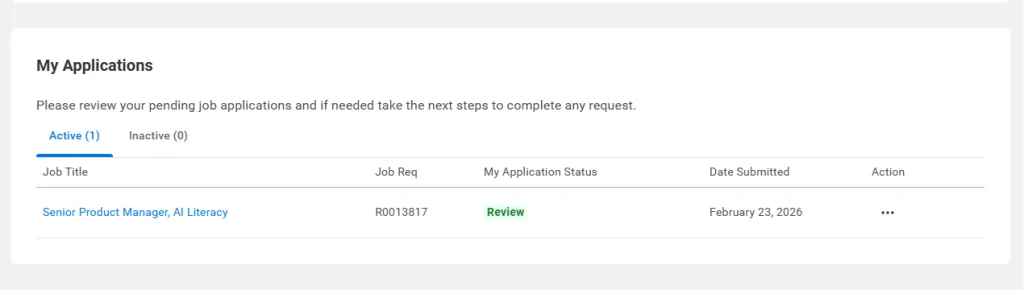
If you’ve ever searched for a way to “view all my Workday applications,” the unfortunate reality is that Workday simply isn’t designed to make this easy for job seekers. Unless you are applying multiple times to the same employer, there is no master dashboard for candidates.
Workday does not share your candidate history across companies. That means you can’t view a history of every application you’ve submitted through different Workday career portals. There’s also no way to get automated cross-company status updates, track analytics about which industries respond fastest, or measure your response rate in a single place.
This is by design: Workday’s focus is on protecting each employer’s privacy and data control, not on giving candidates a unified view. So if you want clarity across your entire search, you’re going to need to step outside of the Workday system entirely and manage your own pipeline.
The real risk of not tracking Workday applications
Here’s where it gets personal and risky. If you don’t have a tracking system for your applications, the consequences go far beyond simple confusion.
Missed follow-ups
The best time to reach out to recruiters or hiring managers is usually 7-10 days after submitting your application. If you’re not logging application dates, it’s all too easy to forget this crucial window. As a result, you miss your opportunity to stand out, and your application might get buried.
Double applications
It’s surprisingly common to apply to the same job posting twice, especially when roles are reposted or there’s high volume. Recruiters may see this as a red flag, marking you as disorganized.
Invisible rejection patterns
Without tracking, candidates rarely see the bigger patterns in their process. Are you consistently getting rejected early? That could signal a resume or ATS-optimization issue. Are you being cut after interviews, but not before? That points to fit or skill match issues. Understanding the timing helps you adjust your strategy.
Wasted mental energy
Refreshing multiple Workday logins and digging through email for status updates is exhausting and inefficient.
Networking timing lost
Following up with company contacts is often most effective right after applying. When you lose track of where and when you’ve applied, you also lose your best leverage for making early connections.
Layer in the data: A recent job search study found that applicants who track and manage follow-up achieve a noticeably higher interview rate. If you want to amp up your application process and avoid these common mistakes, tools that help you automate your application tracking and applicant follow-up, like those described in strategies to boost your applications by 5x using automation, can be a game-changer for landing interviews.
Workday application tracking system vs personal tracking
To build a job search process that works consistently, you need to use tools that put you in the driver’s seat not just the employer. Here’s how using only the Workday ATS compares with having your own application tracker for job search management:
| Feature | Workday ATS | Personal tracking system |
| Control | Company-controlled | Candidate-controlled |
| Scope | One employer only | All employers (Workday, Greenhouse, Lever) |
| Analytics | None for candidates | Track response rates, interview conversion |
| Visibility | Status only (often vague) | Full pipeline view, stages of applications |
| Reminders | None | Follow-up alerts, interview prep, deadlines |
When you rely solely on employer dashboards, you accept limited insight and zero cross-application analytics. When you add a layer, like a spreadsheet, a job tracker app, or a modern platform designed to centralize all your job activity, you take control back. This shift isn’t just about convenience; it’s about empowering your strategy, increasing your follow-up rate, and dramatically improving your outcomes.
How to track Workday applications smarter
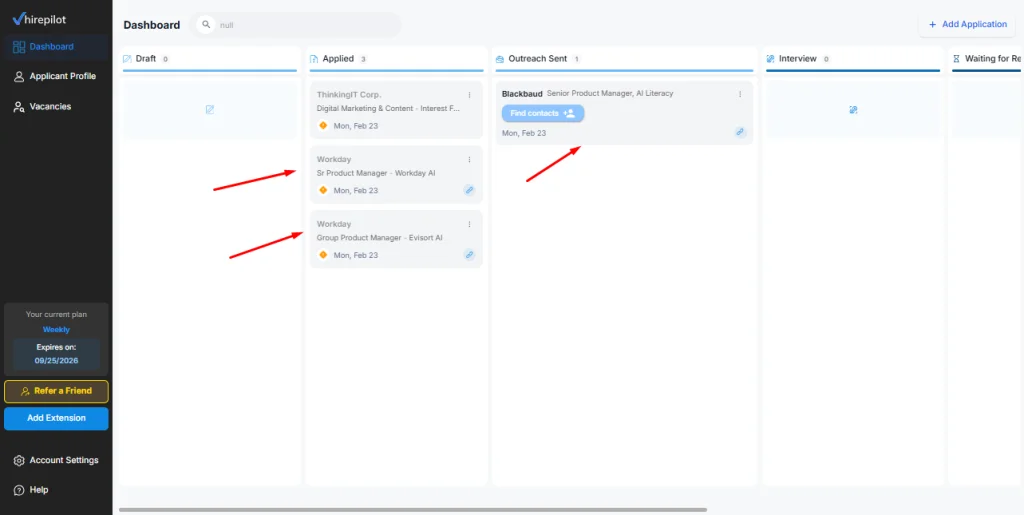
If you’re tired of repetitive forms, missed deadlines, and searching through endless browser tabs, you’re not alone. Today’s job seekers need solutions that fit into their workflow and actually make the hunt easier, not harder.
Here’s how the most successful candidates are simplifying and optimizing the process:
- Auto-fill repetitive forms: A major time-waster in the Workday world (and on many other employer sites) is re-entering your job history, education, and contact info over and over. Modern job tools let you store and insert this info with a single click, so you can apply to more roles in less time, and focus on roles that matter. Knowing how to complete a Workday application faster also means understanding where each section typically slows candidates down.
- Save job postings before they expire: One of Workday’s more frustrating quirks is that job postings often disappear entirely once a position closes. If you don’t save the full description, you’ll have nothing to reference when you prepare for interviews. Smart trackers help you capture and save this info automatically.
- Track submission and follow-up dates with precision: Knowing not just where but also when you applied enables perfectly timed follow-ups, a proven way to bump your name to the top of the recruiter’s mind.
- See your full application history: Instead of juggling dozens of logins and scouring email, a single dashboard lets you see every role, every status, and every follow-up in one clean line of sight.
Smart job search assistants like HirePilot are designed to help you take control of every step in your job search. For a deep dive into leveraging browser extensions and AI to streamline your applications, you might want to check out insights in the HirePilot extension guide.
And if you’re curious about the organizational science behind these improvements, Harvard Business Review’s tips on how to organize your job search are both practical and backed by research.
Embracing these strategies transforms job hunting from scattered guesswork into a focused, measurable campaign, one where you’re always prepared, proactive, and ready to act.
Does Workday automatically update applicant tracking?
Transparency in hiring pipelines is a huge pain point, and Workday plays a unique role here. While the system does update candidate statuses internally whenever a recruiter takes action, moving you from one hiring stage to another, externally the updates are much less predictable.
It’s common for candidates to wait weeks with their portal still showing “Application Received,” only to learn that the recruiter moved them forward (or out of consideration) days earlier. This disconnect happens because recruiters often have to manually trigger status notifications for applicants. External statuses can easily lag behind the real decision-making.
Additionally, many final steps like background checks, formal offers, and onboarding are managed via integrated tools outside Workday’s core system. So, you may never see your real-time status, and it may not reflect the true state of your candidacy.
Understanding the ins and outs of this status limbo is covered in depth in this article on Workday application status meanings. The more you understand how these systems work, the better you can take proactive steps to bridge any information gaps and follow up at the right time.
FAQ: Workday Applicant Tracking System
Is Workday an applicant tracking system?
Yes, Workday Recruiting is a sophisticated applicant tracking system designed primarily for large and mid-tier employers. It allows recruiting teams to track candidates, ensure compliance, and manage the hiring funnel at scale.
How does Workday ATS rank candidates?
The ranking process in the Workday ATS system is highly dependent on keyword and skills matching. The system scores your resume based on how closely it aligns with the job requirements, and many recruiters rely on this automated sorting to prioritize which applicants to review first. Knockout questions further ensure only qualified applicants make it into detailed review.
Can I see where I applied in Workday?
You can only see your application history for each company individually. There is no single dashboard for applications across all employers who use Workday. Each login, each record, is siloed.
Does Workday save past applications?
Yes, but only within each specific employer’s instance. That means you can reapply or update your information when applying for another role with the same company, but not across all Workday-powered sites.
Why do I need separate Workday accounts?
Because each company’s Workday system is distinct, powered by its own database. Your data isn’t shared or portable between employers. That’s why it’s essential to have your own tracking layer to bring all your efforts into one view.
Can I download my Workday application history?
Currently, Workday doesn’t offer a one-click export for your entire application history. You can see your past submissions when logged into a specific employer’s portal (usually under “Candidate Home”), but there’s no built-in tool to download that data for your own records.
Is Workday the same for every company?
The core software is identical, but each employer customizes workflows, fields, and status names. This leads to vastly different candidate experiences and is the reason one status update might mean something entirely different from company to company.
Does Workday track candidate logins?
Yes, companies can see when you last logged in to their system, though this information is rarely used in the evaluation process.
The bigger picture, Workday is built for employers, not you
It’s important to see the forest for the trees. Workday’s priorities are rooted in compliance, auditability, documentation, and efficiency for corporate HR. All of the automation is optimized for enterprise reporting, not to make the application process transparent or user-friendly for candidates. You’re living in an employer’s world when you use their dashboard.
What does this mean for job seekers? If you’re serious about landing interviews and making the most of every opportunity, you can’t rely solely on employer-provided dashboards or notification tools. Smart candidates embrace modern solutions that put their own needs first, so they can act quickly, make connections, and keep doors open.
That’s why more job seekers are building a tracking system on top of platforms like Workday, whether with spreadsheets, advanced trackers, or AI-powered job search assistants, instead of hoping the employer’s tools will keep them organized. If you apply to multiple jobs each week using Workday, remember: the real power comes from managing your job search like a project, not a shot in the dark.
Ready to take back control? Don’t let corporate dashboards determine your future. Use tools built for candidates and start tracking your applications on your own terms. Empower yourself to land your next opportunity faster, smarter, and with confidence.
Instead of logging into 6 separate Workday portals, imagine seeing every submission date, follow-up reminder, and interview stage in one dashboard. That clarity alone can change how you approach your job search.
Find your next job faster - without the chaos
Spend minutes, not hours, on applications. Stay organized, follow up confidently, and get noticed sooner.
Share this article

Viktor Shumylo
Viktor Shumylo is the co-founder of HirePilot, an AI-powered job search platform. He has 10+ years of experience building SaaS products and tools that help job seekers optimize resumes, streamline applications, and land interviews faster.
More articles by Viktor Shumylo