

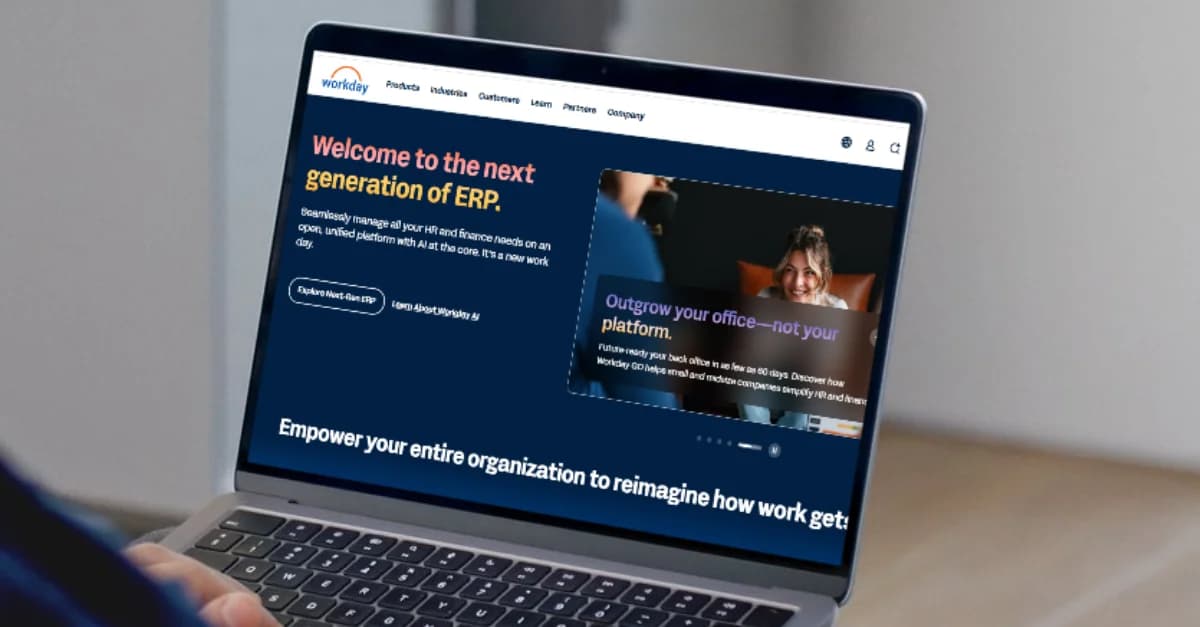

Workday application status meaning can be confusing. If your Workday application says “In Progress” or “Under Consideration” and hasn’t changed for weeks, you’re not alone. The silence that follows a job application is often the hardest part of the search, and staring at a static dashboard only adds to the stress.
You want to know if a human has seen your resume or if you are stuck in a digital limbo. Understanding what these specific statuses mean inside the Workday ecosystem can save you from refreshing the page unnecessarily and help you decide your next move. Instead of guessing, let’s look at how the system actually functions and what those vague labels signal about your candidacy.
How Workday application statuses actually work
To understand why your status hasn’t budged, you need to understand the machinery behind the scenes. Workday is an enterprise platform used by thousands of companies, but it is not a monolith. Every company configures it differently.
When you hit submit, your application enters a workflow. This workflow is a series of digital buckets that recruiters move candidates through. Some of these moves happen automatically based on rules set by the HR team, while others require a human to manually click a button.
Is Workday status updated automatically?
The short answer is: it depends on the specific action and the company’s configuration.
Some statuses update via workflow rules. For example, if you apply and answer “No” to a “Knockout Question” (like “Are you legally authorized to work in the US?”), the system might automatically flip your status to “Declined” or “No Longer Under Consideration” immediately.
Others require manual recruiter action. Moving from “In Progress” to “Interview Scheduled” usually requires a recruiter to log in, review your profile, and manually advance you to the next stage. If a recruiter is overwhelmed or the hiring manager is on vacation, that status will sit stagnant for days or weeks.
Many companies customize stages. While “In Progress” is standard, some companies might have twenty intermediate steps hidden behind that label that you never see. You might be moving from “Recruiter Screen” to “Hiring Manager Review” internally, but on your dashboard, it just stays static.
For a deeper dive into the technical side, you can look at Workday’s recruiting platform overview overview to see how these workflows are built from the employer’s side.
Common Workday application status meanings
Let’s decode the specific phrases you see on your dashboard. These are the most common statuses, but remember that internal HR practices vary.
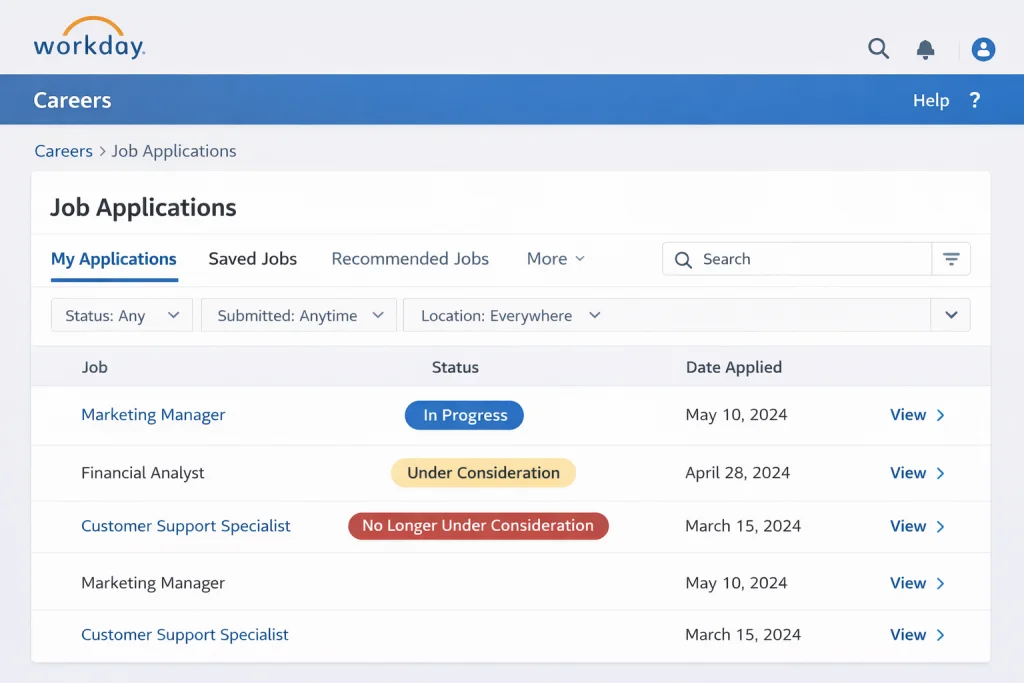
In progress (Workday status meaning)
What candidates usually think it means:
You might assume this means someone is currently reading your resume or that your application is actively moving through the system. You might feel hopeful that “progress” implies forward momentum.
What it often actually means:
“In Progress” is the default holding pen. It usually means your application was successfully submitted and is sitting in the general pool. It does not guarantee a human has looked at it yet. In many cases, an application can sit as “In Progress” for months simply because the recruiter hasn’t closed out the requisition, even if they have already hired someone else. It effectively means “Not yet rejected.”
Under consideration (Workday status meaning)
What it means:
This is generally a more positive signal than “In Progress.” “Under Consideration” typically indicates that your application has passed the initial automated screening filters.
Sometimes triggered after resume parsing, this status might appear automatically if your resume keywords matched the job description well enough to land in a prioritized list.
Sometimes it means hiring manager review pending. A recruiter may have screened your application and forwarded it to the hiring manager. You are now waiting for that specific manager to say yes or no to an interview. This is often the “shortlist” stage.
Interview / interview scheduled
This is the clearest status you will see.
Workday interview status meaning:
This confirms you have moved out of the general pile. However, this status might trigger before you actually receive the email or phone call to schedule the time. If you see this status but haven’t heard from anyone, check your spam folder immediately. If nothing is there, it is appropriate to wait 24-48 hours for the coordination email to arrive.
No longer under consideration
This is the hard stop.
Why does Workday say no longer under consideration:
This means you have been rejected from the process for this specific role. This could happen for dozens of reasons: internal candidates, lack of specific experience, salary mismatch, or simply because they closed the role.
Can you reapply after no longer under consideration:
Reapplication depends on company policy. Technically, Workday usually allows you to apply again if the job posting is still up, but unless you have significantly changed your resume or the previous rejection was an error (like checking the wrong box on a visa question), the result is likely to be the same. However, being rejected for one role does not blacklist you from the company. You can and should apply for other roles at the same company that fit your skills.
Why Workday application status doesn’t change for weeks
The silence is frustrating, but it is rarely personal. HR processes are notoriously slow, and the dashboard is often the last thing on a recruiter’s priority list.
- Background checks: Even if you have been verbally offered a job or are in final rounds, the status in the system might freeze while legal and compliance teams run background checks. This process happens outside of Workday in many cases, so the ATS status remains static.
- Offer approvals waiting: Before a status changes to “Offer” or “Hired,” the recruiter often needs digital signatures from Finance, HR Leadership, and the Department Head. If one of those people is traveling, the approval sits in a queue, and your status sits unchanged.
- The “backup” phenomenon: Sometimes, you are the second or third choice. The company is interviewing their top candidate. They don’t want to reject you yet in case the top candidate declines, but they also aren’t ready to move you forward. You sit in limbo until the first offer is accepted or rejected.
For more context on the internal delays, this guide on how applicant tracking systems process applications provides a neutral look at the recruiter’s view.
What you should do based on your Workday status
Stop refreshing and start strategizing. Your reaction should depend on how long you have been waiting.
| Status | Probability | Action |
| In Progress (1–10 days) | Normal | Wait. The average time to review a resume is 1-2 weeks. |
| In Progress (30+ days) | Low movement | Move on. It is highly likely the role is filled or deprioritized. |
| Under Consideration (14+ days) | Possible review | Follow up. You have passed the first gate; a polite nudge is appropriate. |
| Interview (No contact 48 hrs) | High priority | Contact immediately. An email may have been lost. |
If you decide to reach out, do not just say “checking in.” You need to add value. Read our guide on how to follow up professionally to craft a message that actually gets a response.
While you wait, take the one action that actually moves the needle. Find the hiring manager and send a direct message. HirePilot surfaces the right contact in under 2 minutes.
Why Workday applications feel so long
If you feel exhausted just thinking about logging into Workday, you are right to feel that way. It is widely considered one of the most cumbersome application experiences for candidates.
Resume parsing errors
Workday’s parser is strict. You upload a perfectly formatted PDF, and the system scrambles your work history, putting your job title in the date field and your education in the summary. You have to fix every line manually.
Re-entering the same data
Even though you uploaded your resume, the system often forces you to type your experience all over again. This redundancy is a major friction point that causes many candidates to abandon the application halfway through.
Mandatory manual fields
You will often encounter asterisks next to fields that aren’t on your resume, like “Hours worked per week” at a job you held five years ago, or specific salary expectations for every single role.
Long forms
Some Workday configurations require 5-10 pages of clicking “Next,” covering everything from EEO compliance to detailed skills assessments before you can finally hit submit.
If you want to speed this up in the future, check out our resource on how to complete a Workday application faster.
Can recruiters see when you check your status?
This is a common source of anxiety. You might worry that logging in three times a day makes you look desperate, or conversely, that logging in shows you are “interested.”
No. Checking status does not alert recruiters.
Recruiters do not get a notification when a candidate views their dashboard. They can see when you applied and when you last updated your profile, but they cannot track your login frequency. Your anxiety is invisible to them, so feel free to check for your own peace of mind—but know that it won’t influence their decision.
Does Workday automatically reject candidates?
There is a pervasive myth that robots are rejecting everyone before a human sees them. The reality is nuanced.
Companies configure screening questions.
If a job requires a nursing license and you answer “No” to “Do you have a nursing license?”, the system will auto-reject you. This is a “knockout question.”
Auto-reject rules exist.
Employers can set rules based on location (e.g., rejecting anyone who requires visa sponsorship if the company cannot provide it) or years of experience.
But most rejections are still reviewed by recruiters.
For subjective criteria, the AI or parsing tool might rank you lower, but a human usually has to click the “Reject” button to trigger the notification email. The “robot” organizes the pile; the human usually clears it. To ensure you don’t get filtered out by parsing errors, make sure you are using the right terms by reviewing our ATS Keywords guide.
The bigger picture – status ≠ outcome
It is easy to become obsessed with status updates because they feel like the only control you have. But staring at “In Progress” does not get you hired.
Many candidates refresh status instead of expanding their pipeline. Every minute you spend decoding a Workday application status meaning is a minute you are not applying to a new role or networking with a hiring manager.
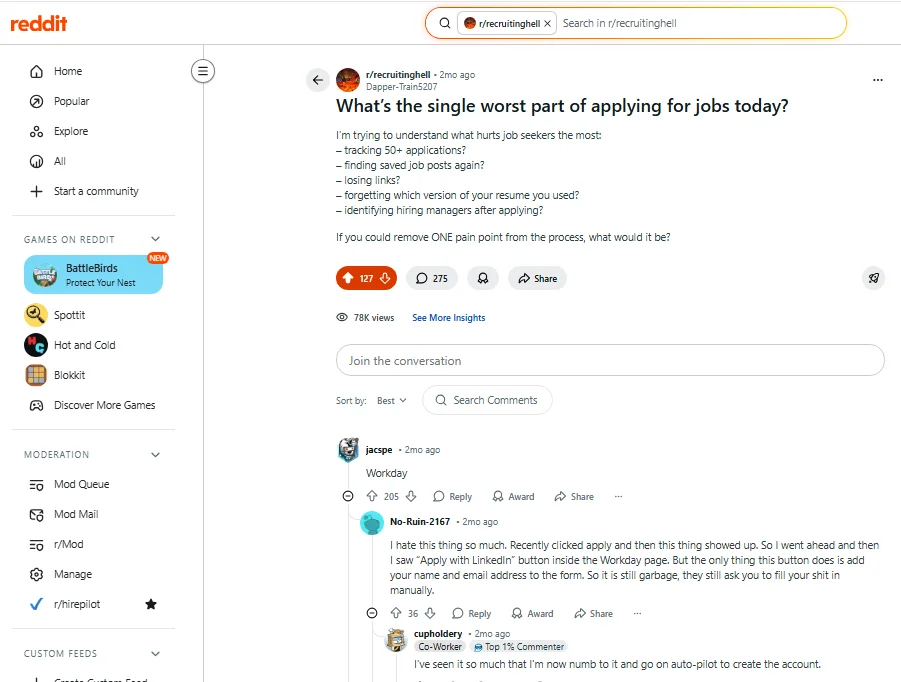
In one Reddit thread discussion about the worst part of applying for jobs today, “Workday” received the highest number of upvotes. Not because of rejection, but because of the friction and uncertainty inside the system.
That reaction says something important: the frustration is structural, not personal.
The most successful job seekers treat “Submit” as the end of the process for that specific application. They mentally archive it and move on to the next opportunity.
Since every company runs its own Workday instance, your applications are scattered across separate portals with no unified view. The only way to stay on top of all of them is to track Workday applications externally , in a system you control.
FAQ: Workday application status meaning
1. What does “In Progress” mean in Workday?
It means your application has been received and is currently active in the database. It does not confirm that a recruiter has viewed your resume yet, only that you have not been rejected.
2. How long does Workday status stay under consideration?
This varies wildly by company. It can range from a few days to several weeks. If it remains unchanged for more than two weeks, it is appropriate to send a polite follow-up email to the recruiter or hiring manager.
3. Does Workday automatically reject candidates?
Yes, but usually only based on specific “knockout questions” set by the employer (like visa status or required licenses). Most other rejections require manual action by a recruiter.
4. Can recruiters see when I check my status?
No, recruiters do not receive notifications when you log into your candidate portal or check your application status.
5. Why does Workday say no longer under consideration?
This indicates you have been rejected for that specific role. The position may have been filled, canceled, or the recruiting team determined you were not the right fit for the current requirements.
6. Can I reapply after being rejected in Workday?
Technically, yes, unless the job posting has been taken down. However, unless your qualifications have changed significantly or you are applying for a different role, the outcome is likely to be the same.
7. Why hasn’t my Workday application status changed?
Recruiting processes are often slower than candidates expect. Delays can be caused by high application volumes, scheduling conflicts, internal approval processes, or background checks. A static status does not always mean you are out of the running.
8. Does Workday send rejection emails automatically?
In most cases, rejection emails are triggered when a recruiter updates your status to “No Longer Under Consideration.” Some companies automate this process, while others manually review applications before sending notifications. If you have not received an email, your status may still be active in the system.
9. What does “Review” mean in Workday?
“Review” typically indicates that your application is being evaluated by a recruiter or hiring manager. It does not guarantee an interview, but it usually means your application has passed the initial automated screening stage.
Reduce Workday application friction
Managing multiple Workday portals is exhausting. Different logins, repeated data entry, and no central view of where you stand.
HirePilot keeps every application, status, and contact in one place , so you always know what to do next.
Find your next job faster - without the chaos
Spend minutes, not hours, on applications. Stay organized, follow up confidently, and get noticed sooner.
Share this article